Mobile Device Set up

Modified on Tue, 27 Jan at 12:34 PM


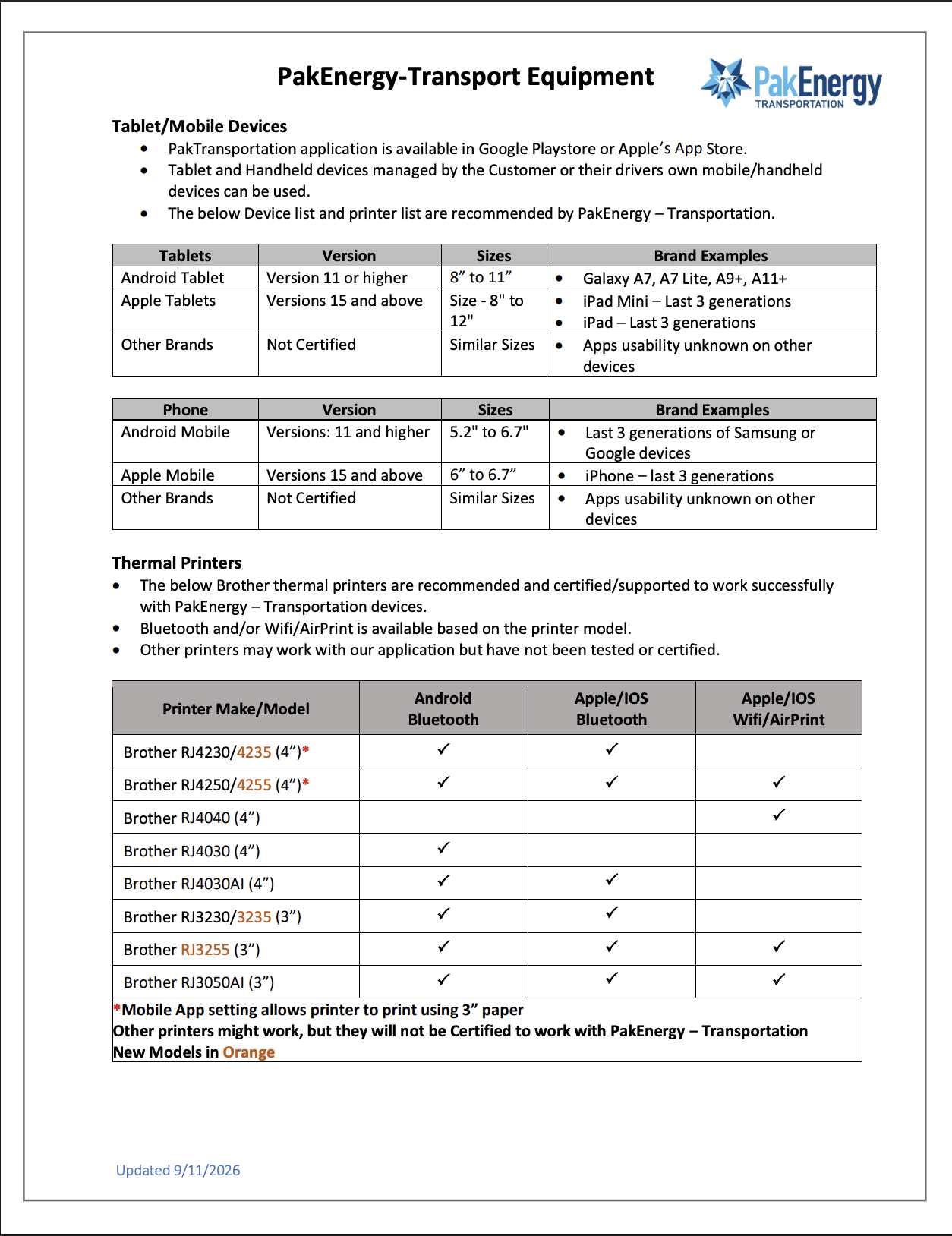
                                                                    Recommended Mobile Devices


                                                                            Recommended Printers 


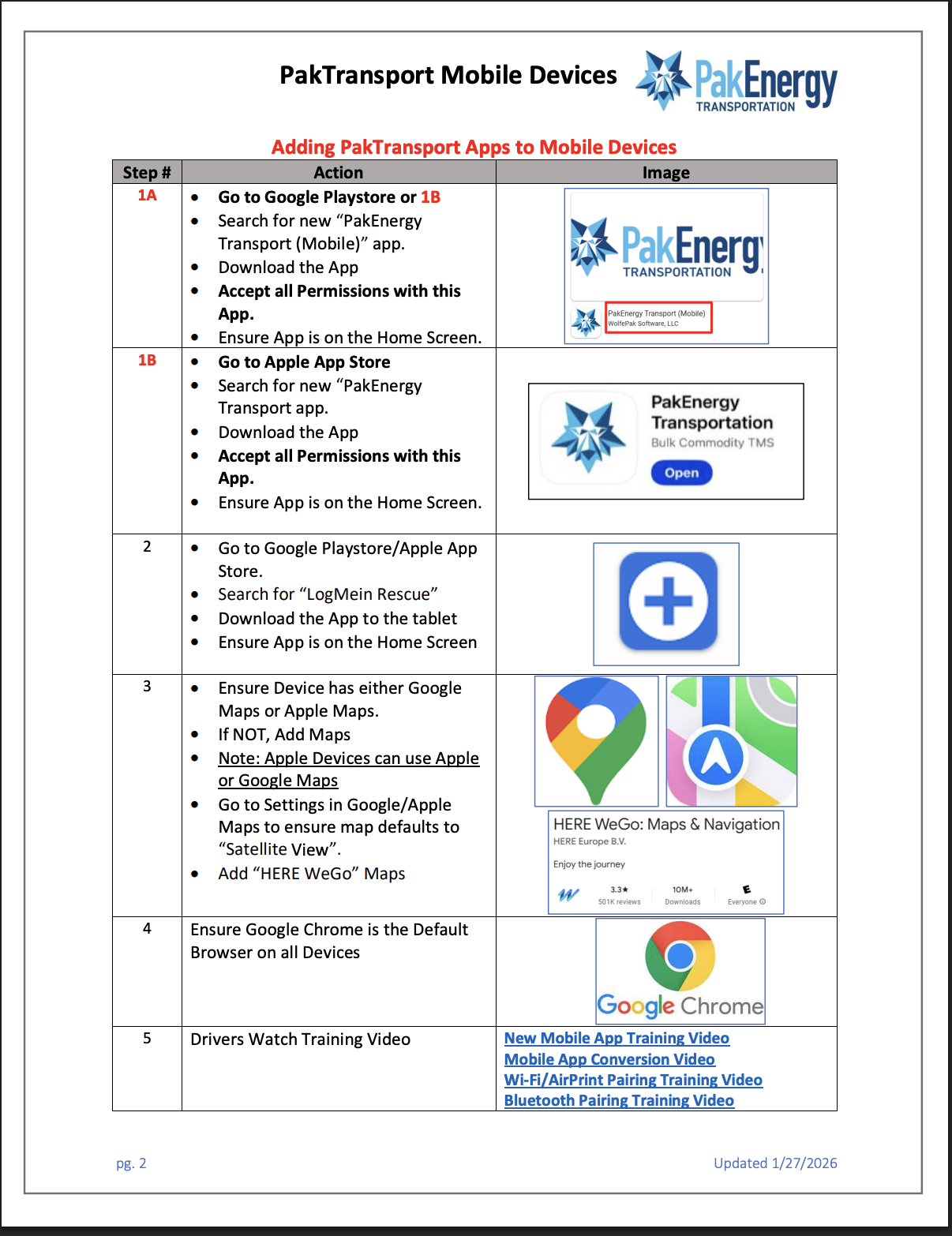
Step #

Action

Image

1A

  • Go to Google Playstore or 1B 
  • Search for new “PakEnergy Transport (Mobile)” app.  
  • Download the App
  • Accept all Permissions with this App.
  • Ensure App is on the Home Screen. 

1B

  • Go to Apple App Store
  • Search for new “PakEnergy Transport app.  
  • Download the App
  • Accept all Permissions with this App.
  • Ensure App is on the Home Screen.

2

  • Go to Google Playstore/Apple App Store. 
  • Search for “LogMein Rescue”
  • Download the App to the tablet
  • Ensure App is on the Home Screen

3

  • Ensure Device has either Google Maps or Apple Maps.
  • If NOT, Add Maps 
  • Note: Apple Devices can use Apple or Google Maps
  • Go to Settings in Google/Apple  Maps to ensure map defaults to “Satellite View”.
  • Add “HERE WeGo” Maps

Maps - Apple

4

Ensure Google Chrome is the Default Browser on all Devices

The advantages of using Google Chrome ...

5

Drivers Watch Training Video

New Mobile App Training Video

Mobile App Conversion Video

Wi-Fi/AirPrint Pairing Training Video

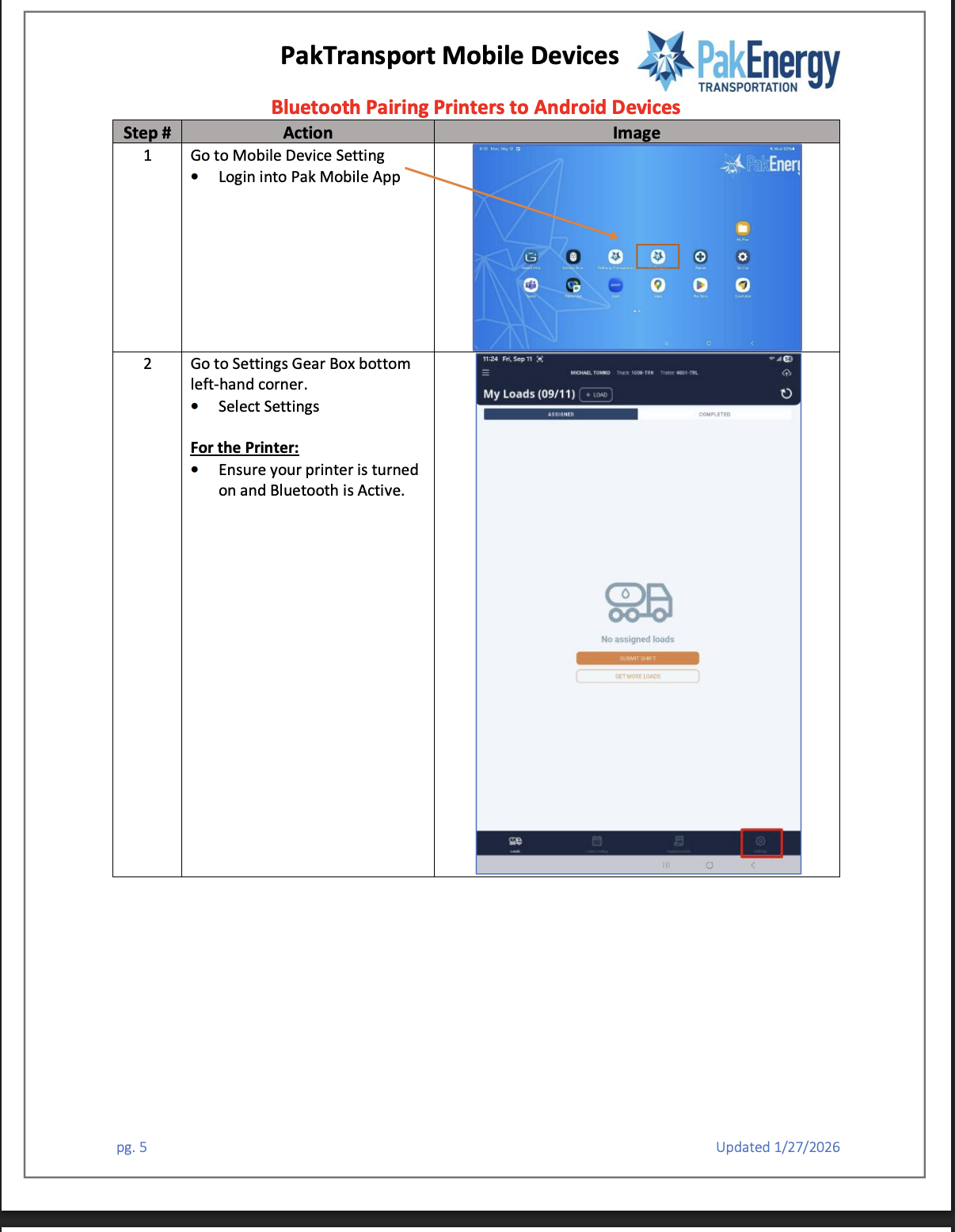
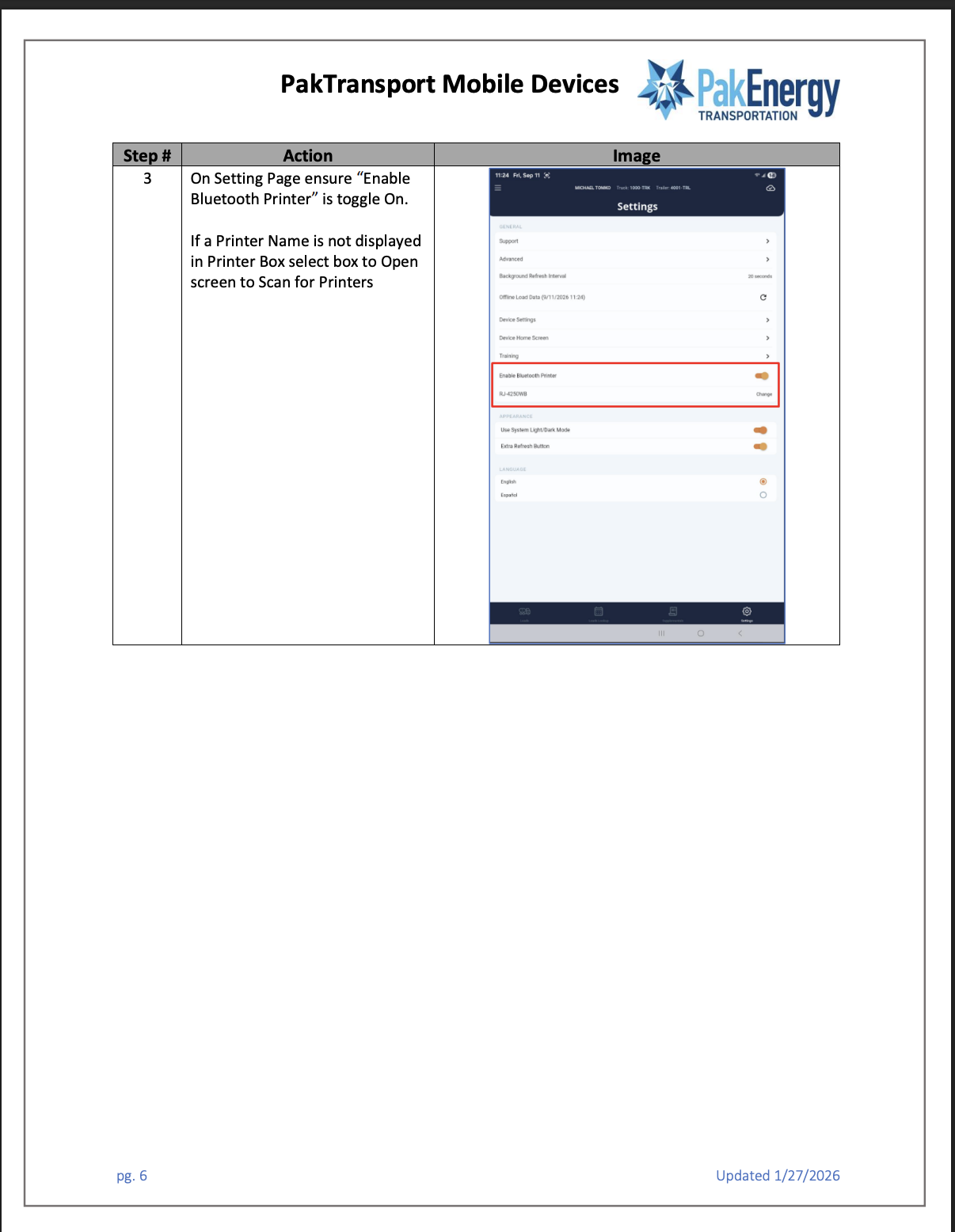
Bluetooth Pairing Training Video


Was this article helpful?

That’s Great!

Thank you for your feedback

Sorry! We couldn't be helpful

Thank you for your feedback

Let us know how can we improve this article!

Select at least one of the reasons
CAPTCHA verification is required.

Feedback sent

We appreciate your effort and will try to fix the article