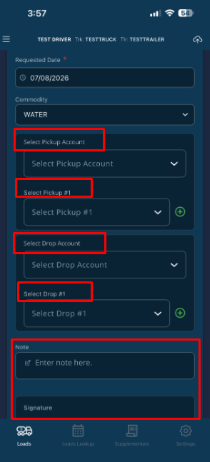
When a driver creates their own load, they will start out by determining the
Commodity + then Pickup Account + Pickup, then Drop Account + Drop Off location. They will then enter a Note (not mandatory) and Signature. A box will then appear at the bottom to “Create Load”. This adds the Load for them to complete.
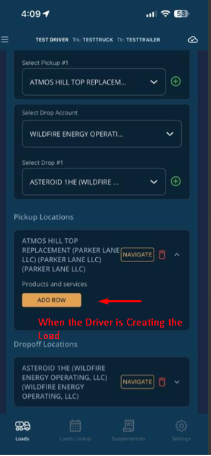
NOTE: The Dependency form can be filled out at the time they create the Load. The “Add Row” orange box will show up for you to fill in. But it seems a little redundant.
When Driver is Creating the Load
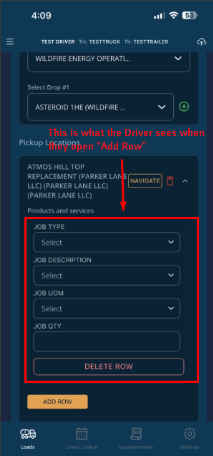
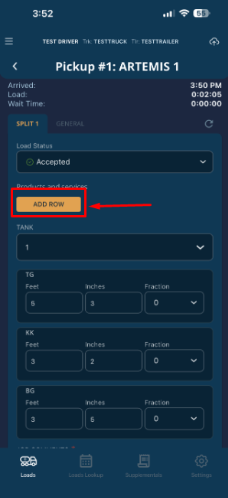
This is what the driver sees when the are working the Load. The “Add Row” will open the Dependency Form for them to fill out the information they need.
Was this article helpful?
That’s Great!
Thank you for your feedback
Sorry! We couldn't be helpful
Thank you for your feedback
Feedback sent
We appreciate your effort and will try to fix the article