Enhancements
Portal
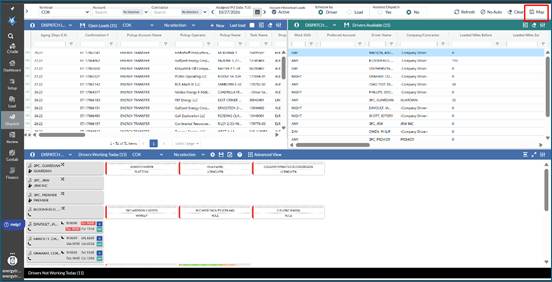
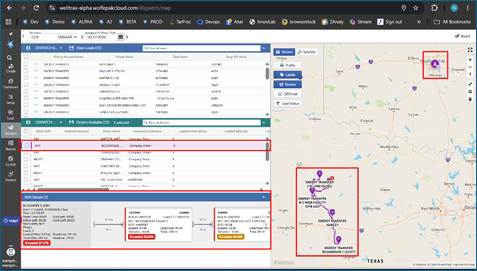
- Dispatch By Map: A new Dispatch by map feature has been added to the Dispatch Board. In the top right corner, click on the Map icon. This will update the Dispatch Board to include a map view. The user can also reconfigure the screen to have the map on a 2nd monitor and all of their Open Loads and drivers available on first monitor.
- Users can click on Open Loads and visually see these on the map.
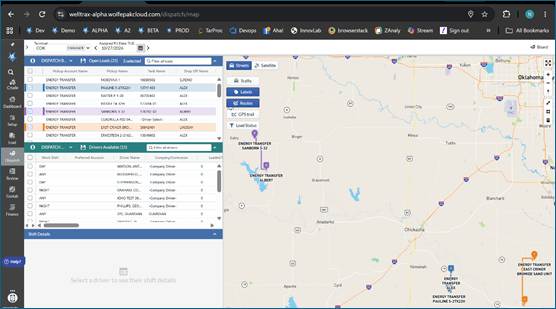
- Users can click on a Pickup or a Drop Off and obtain basic info about the load this location is associated too.
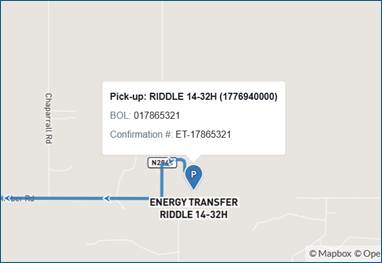
- Users can also double click on a location to get additional information associated to the load
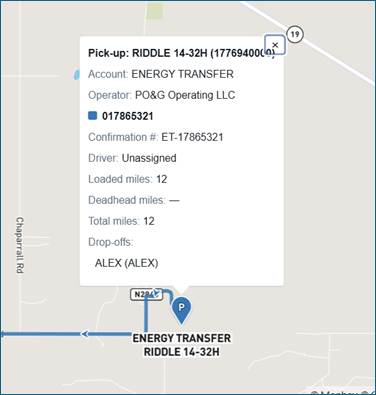
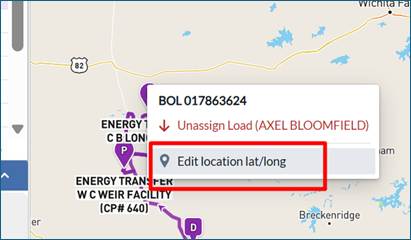
- Users can right click on an open load and select a driver to assign it too. If the load is assigned, user can right click on location/load and drop the load from the driver.
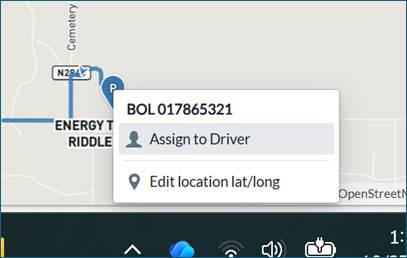
- Users can also change/edit the Lat/Long of the location by dragging and dropping the pin to a new location. This will save to the locations master data under Setup > Pickup or Drop Off.
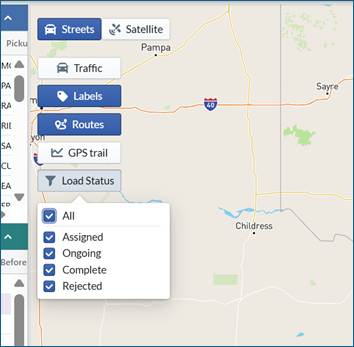
- On the map, users can change between Street view vs Satellite view, show current traffic, display or hide labels, show actual driving routes, show GPS trail/breadcrumbs for a given driver and select which load statuses they would like to view.
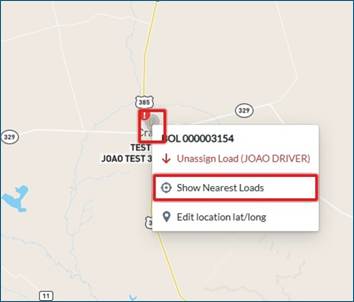
- If a driver rejects a load, the user can right click on the Pickup location and find nearest Open Loads to the driver.
- User can also click on a driver, and it will show the drivers start location or current location if they are logged in. All of their assigned loads will also be displayed on the map. The driver will also appear in the shift details section where a Dispatcher can see all assigned loads, and they can make changes to their Dispatch.
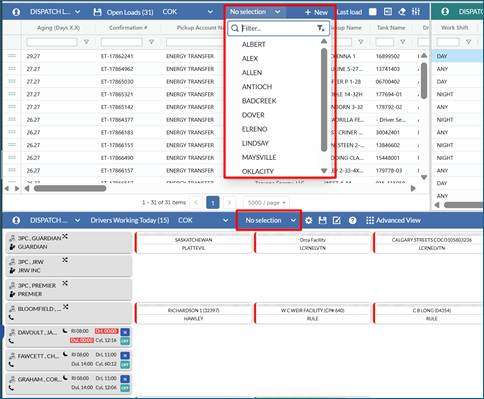
- On the Dispatch Board Open Load grid and Working Today section, we have added a Subterminal filter. This will allow a Dispatcher to easily select Open Loads for a specific Subterminal(s) and drivers from the same or different Subterminal(s).
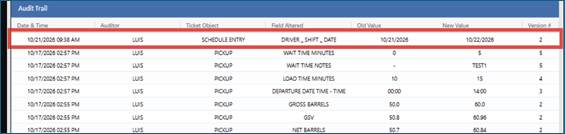
- Within the ticket audit trail, if a load shifts from prior day to next day because the load was not completed, we are recording this change in the audit trail.
Legacy Mobile
- NA
API
- NA
Bugs/Issues
- On Finance > Contract screen > Associations tab, if a contact had more than 1000 Drop Offs associated to it, the user was not able to see the Drop Offs > 1000 or be able to add or remove them. This issue has been resolved.
- If Bottom Height was greater than Bottom Gauge, the calculation did not set a floor of zero (0) in the GSV calculation. This issue has been resolved.
Was this article helpful?
That’s Great!
Thank you for your feedback
Sorry! We couldn't be helpful
Thank you for your feedback
Feedback sent
We appreciate your effort and will try to fix the article