How to setup Users & User groups.
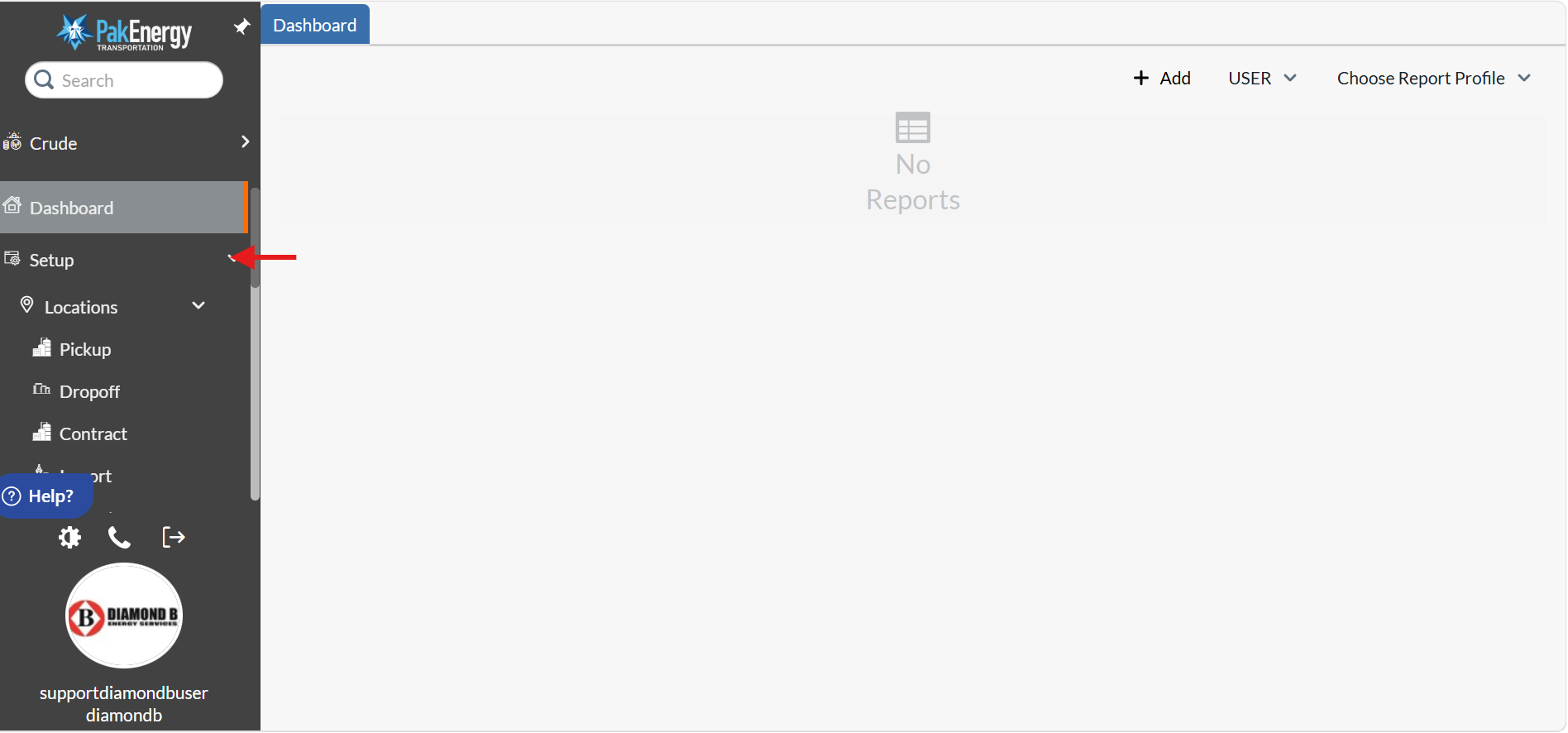
1). Go to "Setup" tab drop down.
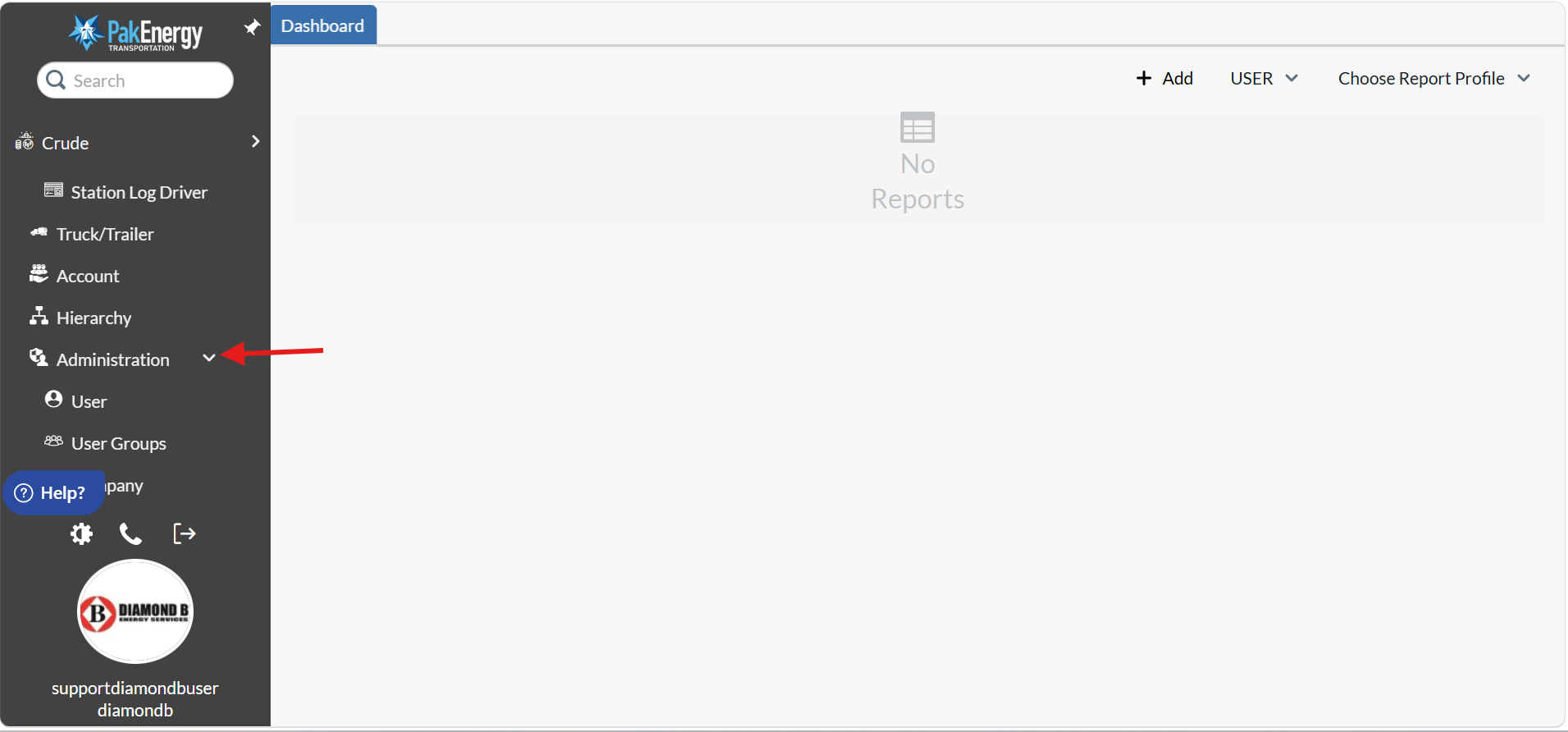
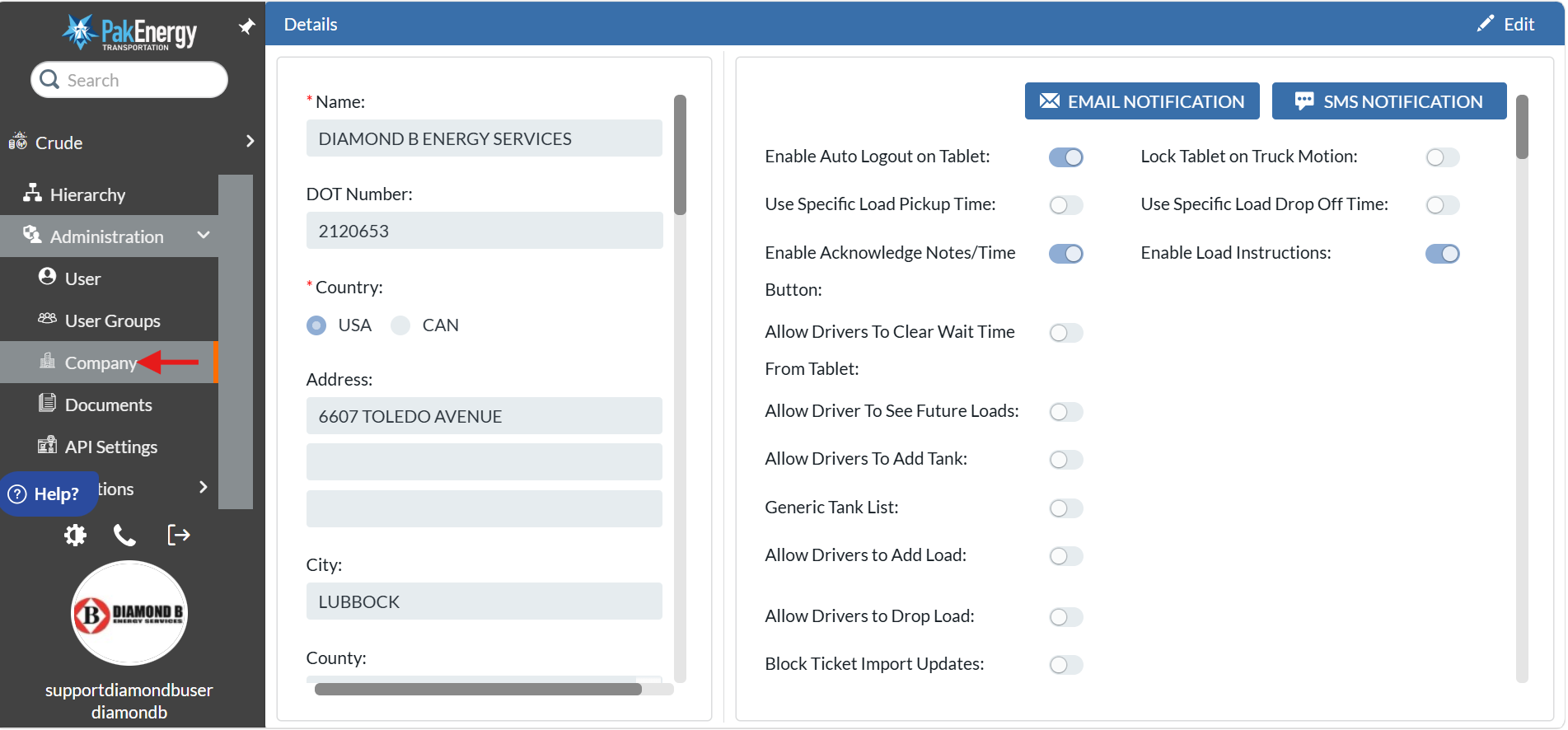
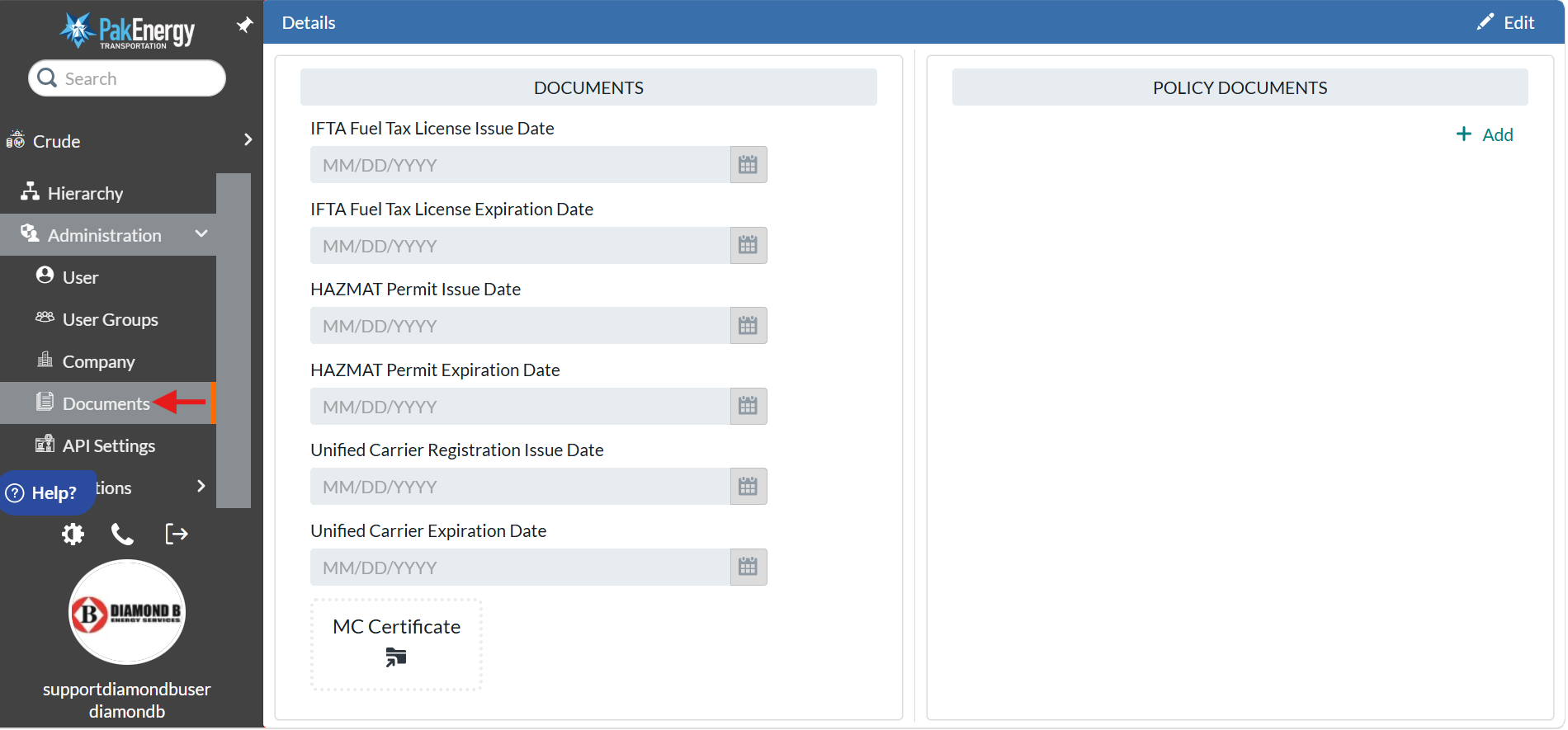
2). Scroll down under setup section and you will find "Administration" drop down.
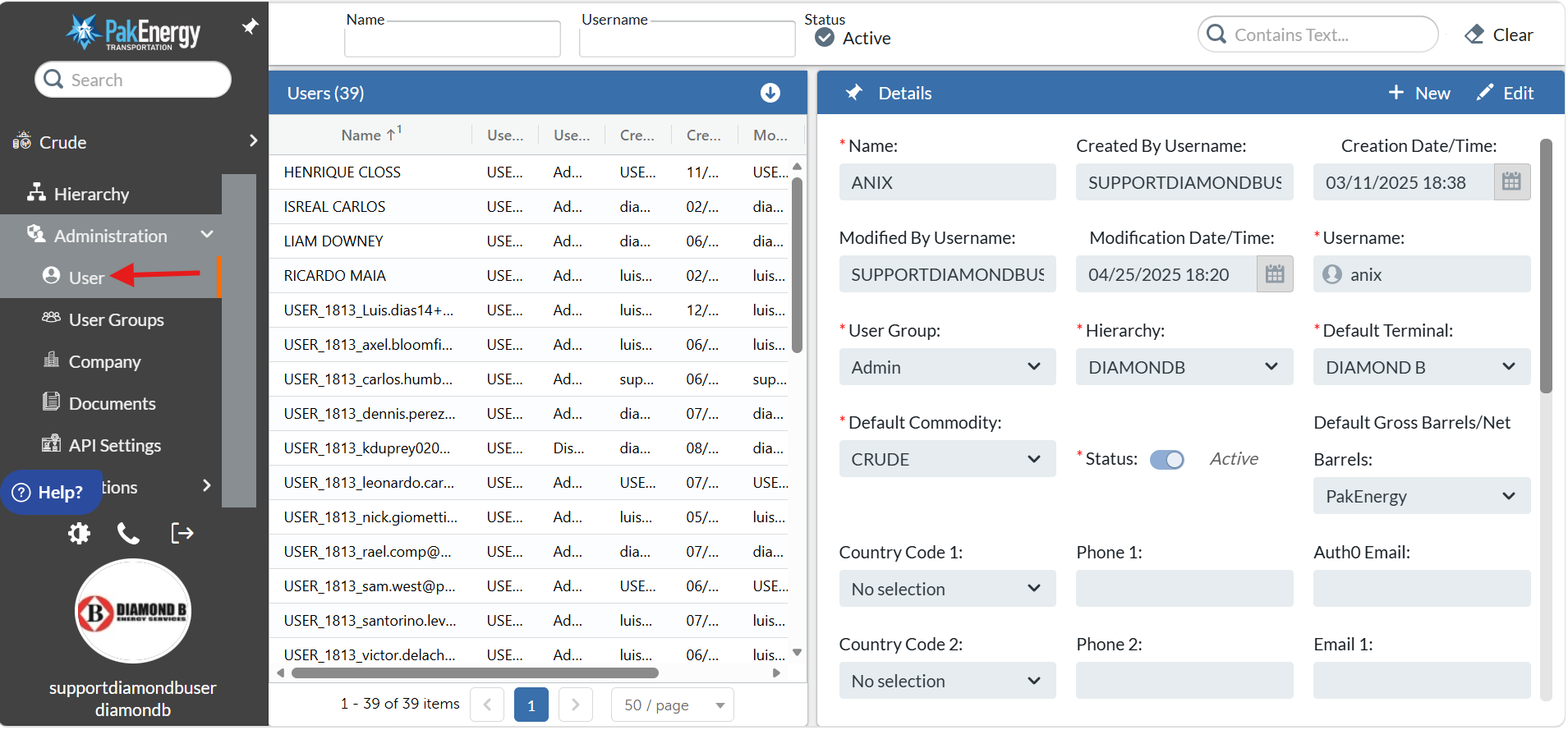
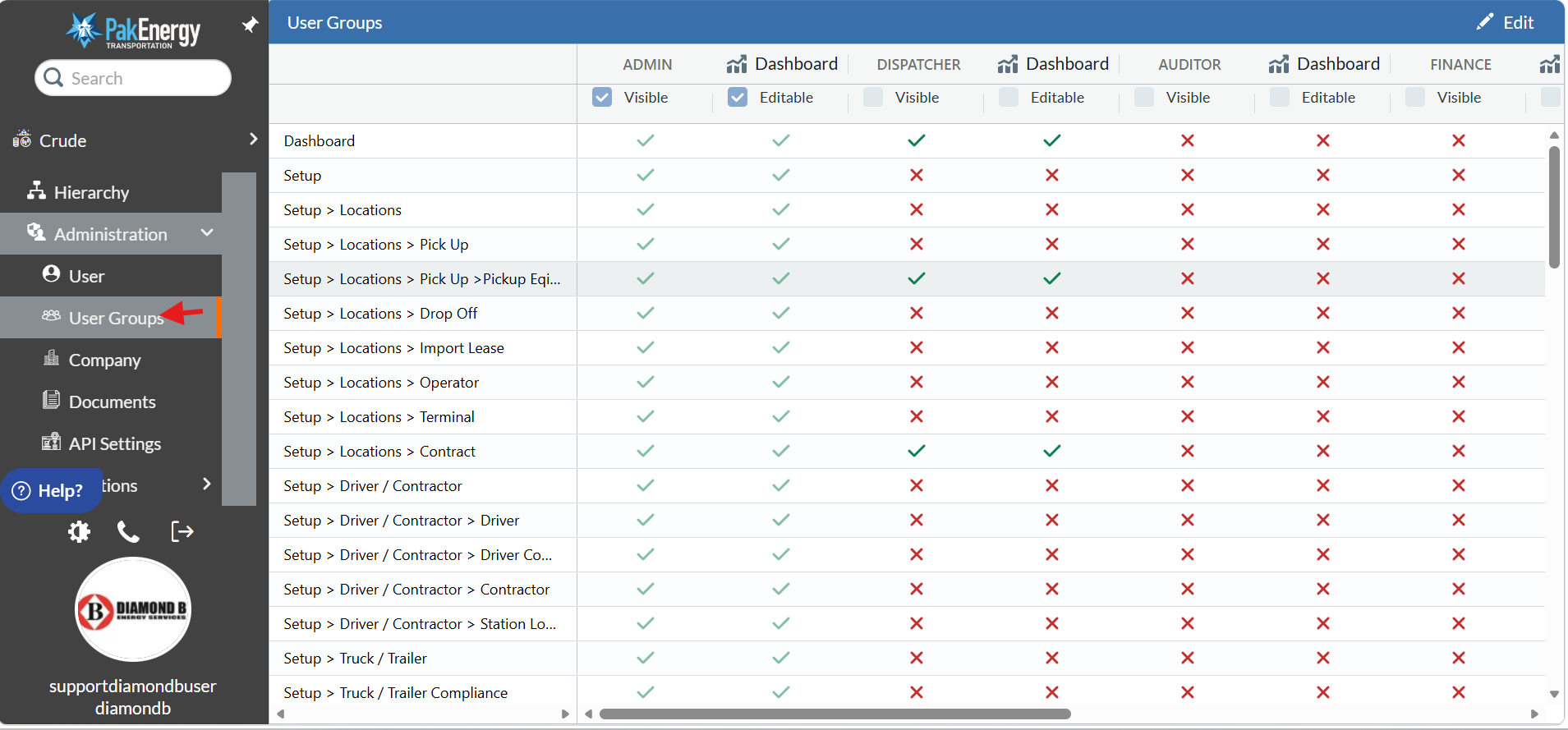
3). Under Administration section you will find users, user groups, company & Documents tab.
Was this article helpful?
That’s Great!
Thank you for your feedback
Sorry! We couldn't be helpful
Thank you for your feedback
Feedback sent
We appreciate your effort and will try to fix the article