Tables are useful for illustrating complicated relationships between data in organized, readable structures. Many types of tables exist. In OnPing, each type is utilized through a respective Widget feature.
This document introduces Users to the Tables available in OnPing and provides general information on how and where to use each. Keep in mind, though, that OnPing is a platform for experimentation. The best way to learn each widget's capabilities is to explore them independently!
List of Table Widgets in OnPing
- Event Table
- Single-Location Table
- Multi-Parameter Table
- Alarm Table
- Custom Table
Event Table
In Event Table, Users compare event-specific relational data. Select an anchoring Event – called the ‘Event Source’ – then choose a set of events to compare with the source.
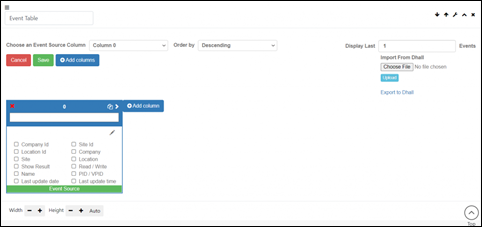
Event table is where Users will get a deeper understanding about the interconnectedness between data streams. This widget offers Users a way to compare streams during a specific instance or across a span of time.
Event Table is also one of the main ways Users can utilize the ‘Time Travel’ feature to troubleshoot problematic events. An ‘Event’ is simply any time information is saved into OnPing, so seeing this information is often very helpful.
Single-Location Table
The Single-Location Table allows Users to temporarily display information about any one device. This table is the fastest way to get a snapshot of OnPing locations because once a User selects the Location and tags to use, a table is automatically generated.
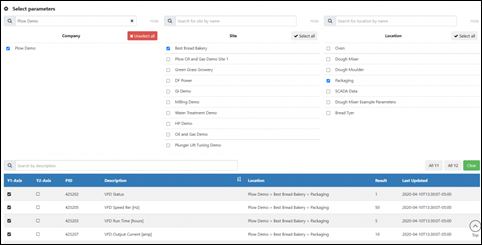
Single-Location tables make great ‘stand-alone’ panels for browsing devices, or can complement other widgets on a Panel by providing quick access to the information that other features should use.
Multi-Parameter Table
Multi-Parameter Tables take the concept from Single-Location Tables a step further. In Multi-Parameter Tables, users can select several locations – each with any number of related data streams – and open a table displaying all of the chosen information.
Alarm Table
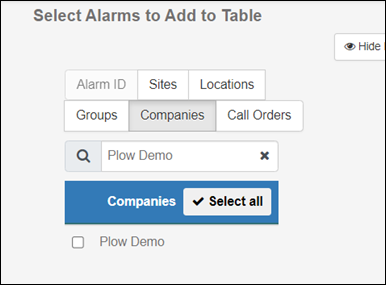
The Alarm Table allows Users to quickly view information about a set of Alarms. Alarm sets can be organized by their association with categories: Sites, Locations, Groups, Companies, or Call Orders. Each category can be searched with text entry, making it easy to pull together Alarm Data from across an entire organization.
Custom Table
Custom Tables are the most flexible Table structure in OnPing – and one of the most versatile tools in the entire platform. Users often have specific sets of information to organize that can’t be universally applied across every organization. Custom Tables allow Users to put together meaningful sets of information without the constraints of the pre-built Table tools.
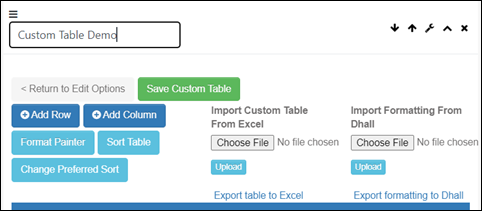
Custom Tables utilize several powerful features, including:
- Import/Export
- Sort
- Internal and External Links
- Map Layers
- Reporting Features
Note that each cell in the table can consist of a ‘Text’ entry, PIDs, or a ‘Status’. Text cells will often be descriptors or used to create Links to external information or even other Dashboards/Panels.
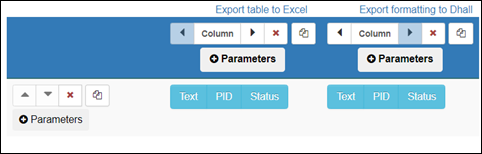
Custom Tables can be used anytime a User needs to organize information. These are the ‘base’ for OnPing tables. Other tables have been in functionality to make a specific job easier – Custom Tables simply remove the ‘prompting’ available in other table structures.
Summary
This document covers some of the most basic information about what tables are available in OnPing. For more specific information about any of these features, please refer to their introductory information in Support Docs!
Was this article helpful?
That’s Great!
Thank you for your feedback
Sorry! We couldn't be helpful
Thank you for your feedback
Feedback sent
We appreciate your effort and will try to fix the article